
Mac identity · administrator guide · checked 8 September 2026
Connect macOS to Microsoft Entra ID.
Microsoft Entra ID is the current name for Azure Active Directory. Intune manages the Mac; Platform SSO connects its sign-in and supported applications to the organisation’s identity service.
Start with one enrolled pilot Mac and a named user. Keep an approved local recovery route available throughout the change.
1. Prepare the Mac and tenant
- Confirm supported macOS, Intune enrolment, licences and a working check-in. Company Portal must be installed before targeting Platform SSO.
- Microsoft lists macOS 13 and Company Portal 5.2404.0 as feature minimums; use currently supported, updated versions. Settings differ between macOS 13 and 14 or later.
- Check the pilot user’s Entra device-join permission, MFA readiness and the administrator’s configuration/assignment permissions.
- Record existing SSO profiles, FileVault recovery ownership, target group and rollback decision.
Microsoft prerequisites and identity overview
Platform SSO is an Entra join route, not Windows-style hybrid join or automatic access to every on-premises file share. Kerberos access needs its own configuration. Microsoft compatibility guidance
2. Choose the authentication method
| Method | Effect on the user | Plan before rollout |
|---|---|---|
| Secure Enclave | Hardware-bound credentials for Entra SSO; the local Mac password remains. | Explain the local password needed after restart and the recovery process. |
| Password | Synchronises the Entra password with the local account. | Test password changes, FileVault and offline sign-in; align password policies. |
| Smart card | Uses a configured certificate and PIN. | Requires the certificate infrastructure; complete registration after Setup Assistant. |
Microsoft recommends Secure Enclave. Touch ID does not mean the local password disappears. Compare the methods.
3. Create and assign the settings policy
- In Microsoft Intune, open Devices → Manage devices → Configuration → Create → New policy.
- Select macOS and Settings catalog; give the pilot policy a recognisable name.
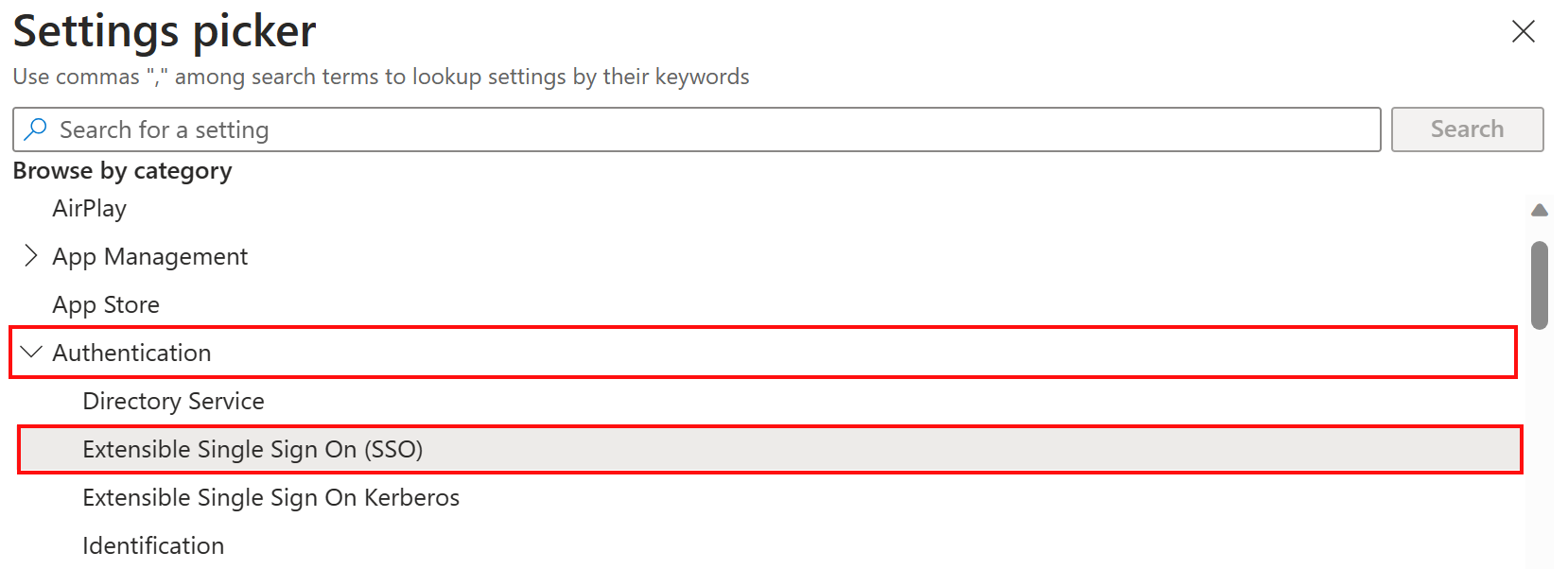
- Add Authentication → Extensible Single Sign On (SSO). Choose the authentication field appropriate to the OS.
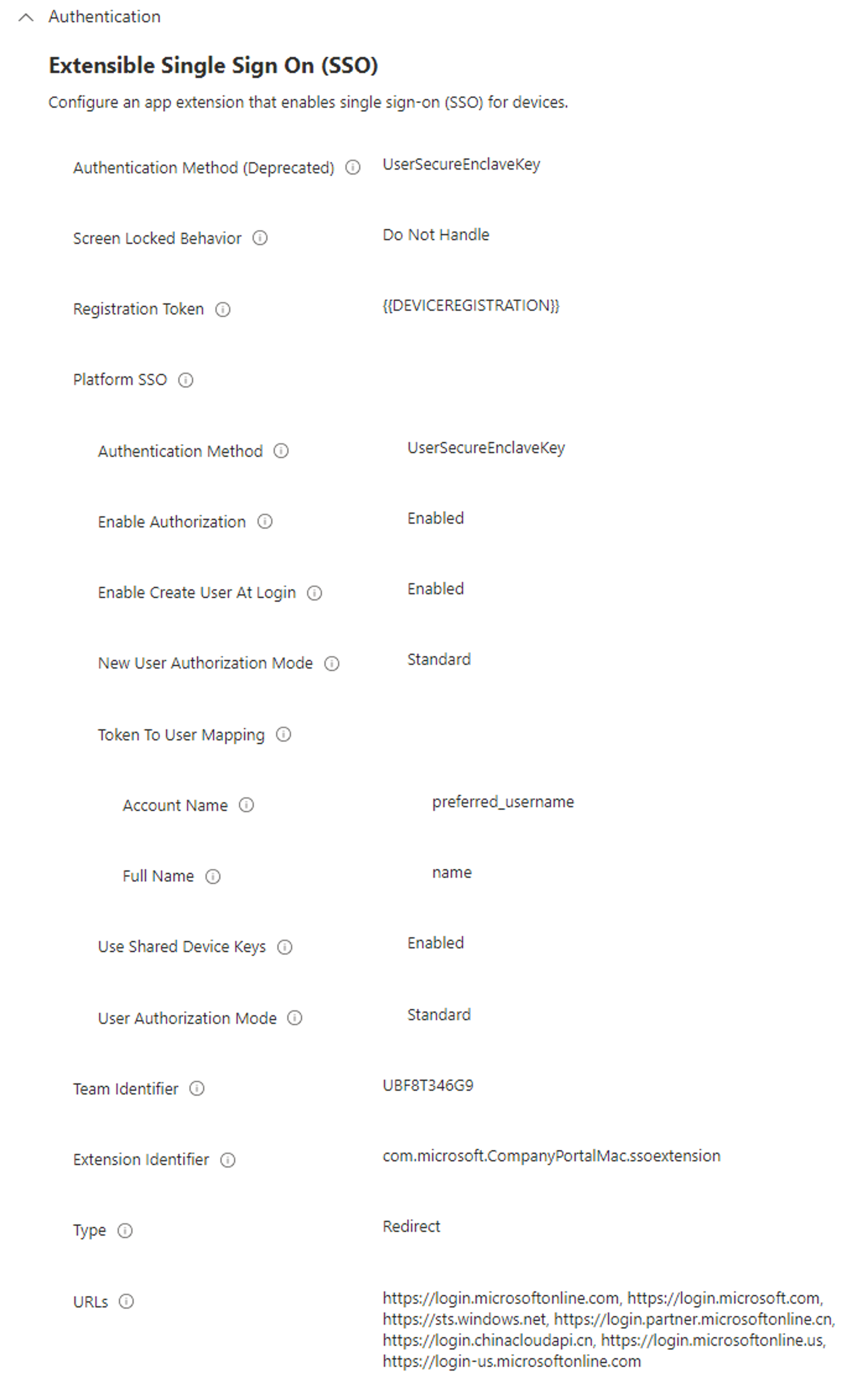
- Use Microsoft’s complete required-settings table below. It supplies the extension/team identifiers, registration token, redirect URLs and user mapping. Copy the exact values, including braces; do not reconstruct them from a picture.
- Assign to the intended pilot scope. Follow Microsoft’s user/device targeting instructions for that enrolment design.
Open Microsoft’s current required-settings table
See Microsoft’s complete example profile
4. Register and check the user experience
After the policy arrives, the user completes the Registration Required prompt with the school account and configured authentication. Follow the pictured Company Portal and registration walkthrough.
For a new Mac, Platform SSO can also be configured during Automated Device Enrollment. Prepare that specific policy before setup; do not target its Setup Assistant registration settings at user-less ADE Macs. Microsoft’s ADE requirements and setup-time SSO route.
5. Verify before expanding the group
- Check Intune policy delivery and the expected Entra device record.
- On the Mac, inspect Platform SSO registration in Users & Groups. A technician can read status with
app-sso platform -s. - Test an approved application, the supported browser, restart and offline access. A registered device alone does not prove that Conditional Access permits the required resource.
- For password mode, test a controlled password change and the recovery route.
No registration prompt or repeated failure
Check Company Portal, policy assignment, device-join permission and the required network endpoints. Record the timestamp and error. Microsoft documents a Repair option on macOS 14 and later; follow the version-specific procedure instead of wiping the Mac.
Multiple SSO profiles or password mismatch
Compare effective profiles and password requirements. Plan migration from the older SSO extension profile; validate the new policy and remove the conflicting assignment through the change process. Do not remove management or weaken tenant-wide access rules as a shortcut.
Microsoft troubleshooting, network requirements and diagnostic reporting